Evaluating detection
How an AI Grammar Checker Works, and How to Use It for Essays
How a language-model grammar and punctuation checker works, how to read each suggestion and a review loop for essays that keeps the wording yours.
Published · 9 min read
On this page
An AI grammar checker reads your text, finds spelling, grammar, punctuation and word-choice problems, and proposes a small edit for each one with a reason attached. It does not know what you meant to say, and it does not know your assignment. It will catch the missing apostrophe and the verb that no longer matches its subject; it can also suggest a change to a technical term, a quotation or a deliberate stylistic choice that was correct as written. Used well, an AI grammar checker for essays is a fast second reader for mechanics. The decisions stay with the writer.
This guide explains how the check in Fileverity's text tool works, how to read a single suggestion, a review loop that suits an essay or report, and where a grammar and punctuation checker meets the rules on academic integrity. It is written for students, teachers and anyone who prepares formal documents in English.
What a grammar check can and cannot do
A grammar check works on the surface of the language: spelling, agreement between subject and verb, punctuation, repeated or misused words, and phrasing that reads awkwardly. It can be right about these things most of the time, because most of them follow rules.
It cannot judge whether your argument holds, whether a source says what you claim or whether a paragraph belongs in the essay. It cannot know that "Savitzky–Golay" is spelled correctly in your methods section, that the odd spelling inside a quotation is the author's, or that a fragment is there on purpose. Those are the cases where a suggestion is most likely to be wrong, and where a quick glance from the writer settles it.
The suggestions come from a language model. A model works from patterns in very large amounts of text, so it is strong on common errors and weaker on names, specialist vocabulary and unusual constructions. Treat the result as a list of proposals, not corrections.
How a language-model grammar check works
Fileverity's grammar check takes plain text of at least 20 words and up to 30,000 characters. It detects the language, or you choose it from a list. English, Spanish, French and Arabic are checked; for other languages the tool says so instead of guessing.
The result is a list of suggestions. Each one is the smallest edit that fixes one problem. If a comma is missing, the suggestion adds a comma; it does not rebuild the sentence around it. This is a deliberate design choice. A tool that rewrites sentences changes your voice, and in coursework it can change whose work it is. Minimal edits leave the sentence yours and make every change visible and reversible.
Every suggestion carries four things: its position in the text, so it can be marked in place; the written form and the proposed replacement; a category; and a one-sentence reason. The categories are spelling, grammar, punctuation, word choice and style.
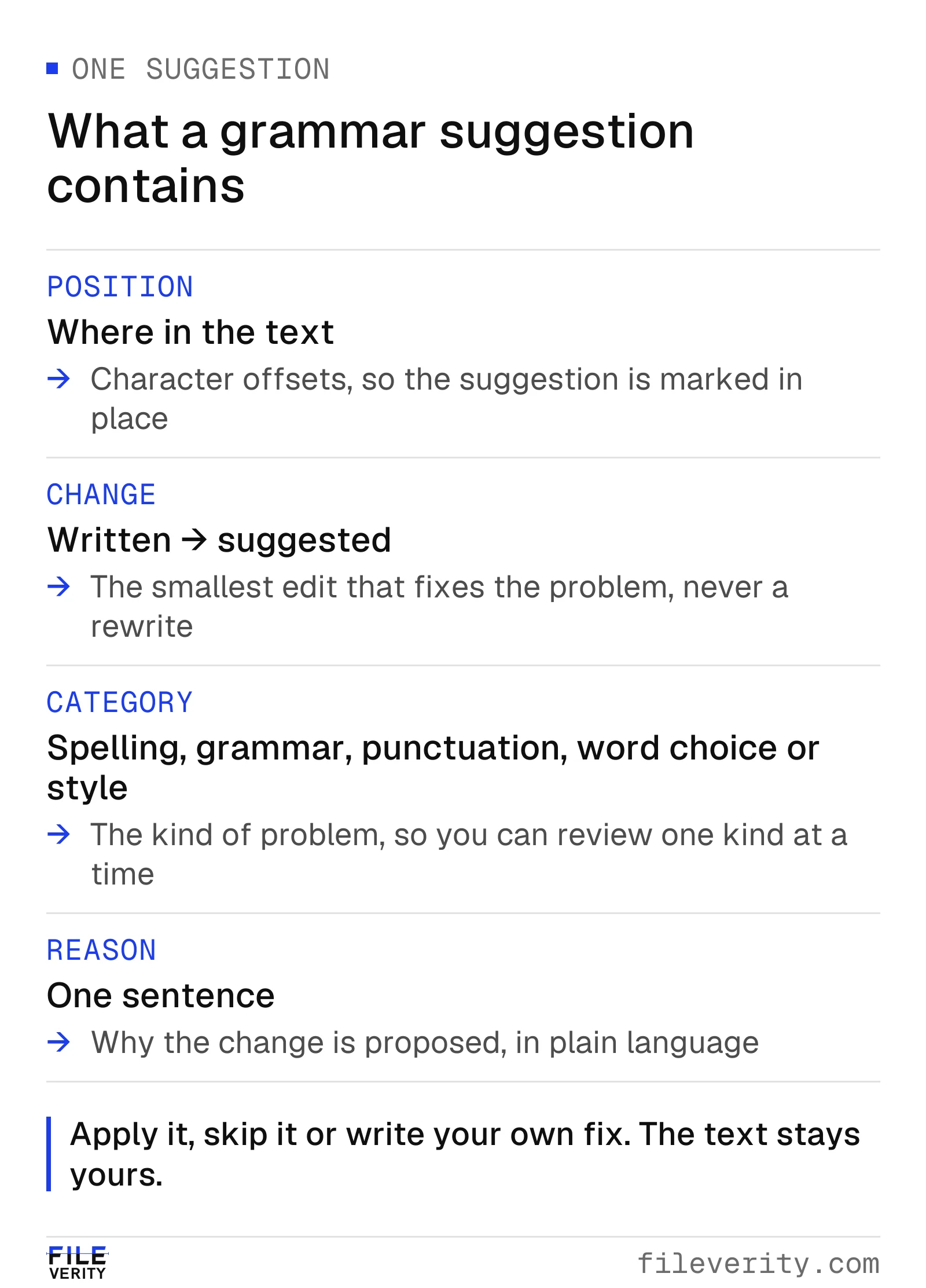
A suggestion is a position, a change, a category and a reason. You can apply it, skip it or write your own fix.
The reason matters as much as the replacement. "Subject and verb disagree: the subject is plural" lets you check the rule yourself, while a bare replacement asks you to trust the tool. If a reason does not match what you see in the sentence, skip the suggestion.
Reading one suggestion
Take a sentence from an invented student essay: "The results of the second trial was not consistent with the first." The tool marks "was" and proposes "were", category grammar, with the reason that the subject "results" is plural. Reading it in context, you agree: the verb should match "results", not "trial". You apply it.
A different case: "We smoothed the signal with a Savitzky–Golay filter." A spelling suggestion proposes a different form of the name. The written form is the correct one, so you skip it. Three questions are worth asking before you accept any suggestion.
- Does the reason describe what is actually in my sentence?
- Does the replacement keep my meaning exactly?
- Is the original deliberate: a name, a technical term, a quotation, a dialect form or a stylistic choice?
Some material should keep your wording almost every time. Names of people, places and products. Terms that belong to your discipline. Quotations, which must match the source, errors included; a bracketed "[sic]" is the usual way to flag an error in the original. Dialect and register: if you write in British English, a suggestion that moves you to an American spelling is not an improvement, and the reverse is also true. Choose one convention for the whole document and apply it consistently.
Style and word-choice suggestions deserve the most scepticism: "consider a shorter phrase" can remove the emphasis you wanted, and a near-synonym can shift the meaning of a technical sentence.
A review loop for an essay
The tool keeps one editable text in one window. The same loop works for an essay, a lab report, a cover letter or a grant application.
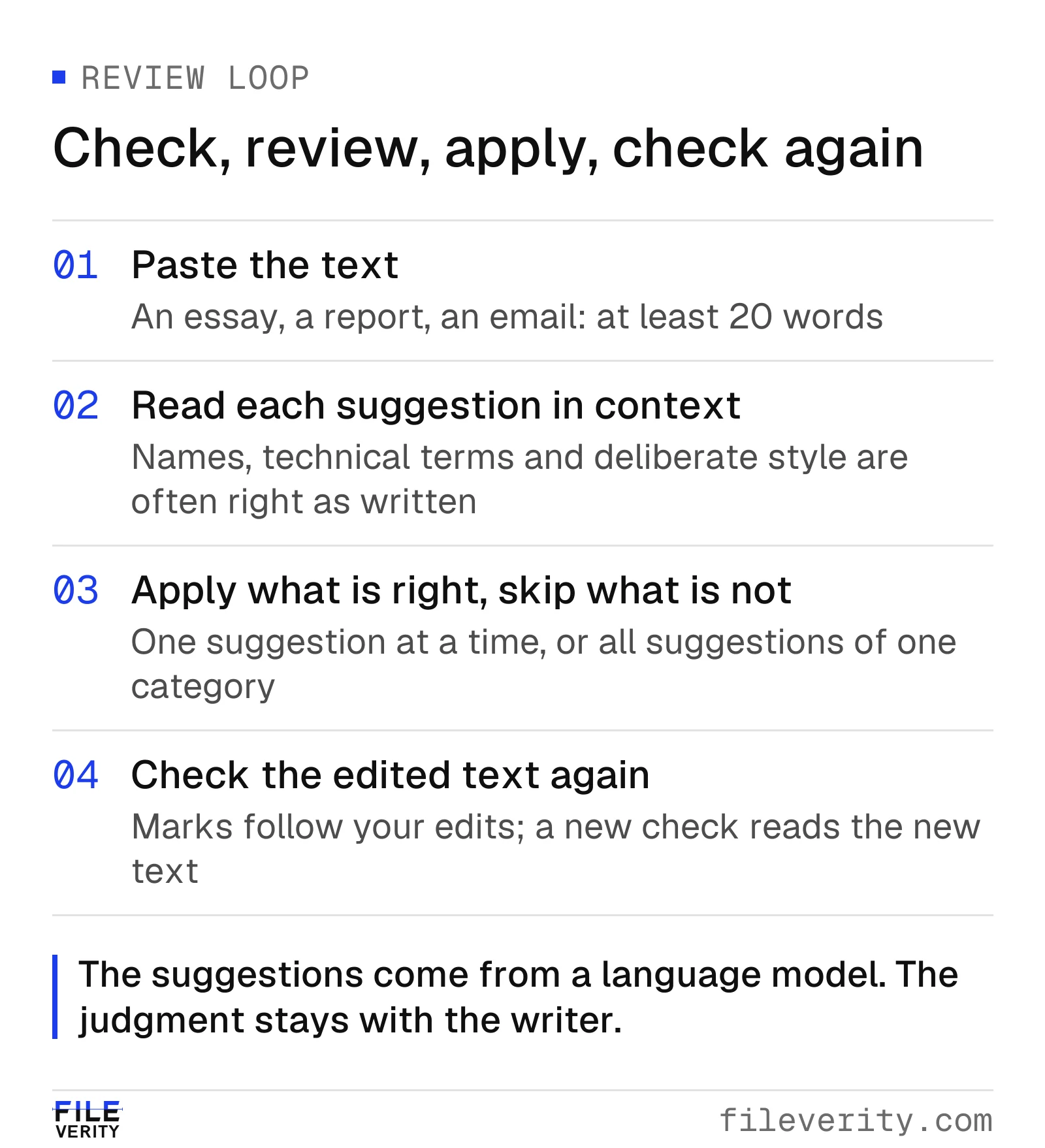
The marks follow your edits. After you change the text, the result says "Text changed" and the button reads "Check updated text".
- Paste the text. Use the finished draft, not an outline.
- Read every suggestion in context. Suggestions are marked in the text and listed beside it. Select one, read the sentence around it and decide. Do not apply a suggestion you have not read.
- Apply by category. Spelling and punctuation fixes are usually quick to accept. You can apply a single suggestion, all suggestions of one category, or all of them, and undo if you change your mind. Review grammar and word-choice suggestions one at a time, and leave style for last.
- Check the edited text again. An edit can create a new problem, or reveal one the first pass did not flag. The check reads the new text and returns a fresh list.
- Copy the corrected text into your document, and read the whole piece once more yourself. A final read aloud still catches errors that a tool misses and a tired eye skims.
Grammar checks and academic integrity
Correcting spelling, punctuation and basic grammar is a different act from having a tool write or restructure your work, and many institutions draw the line there. They differ on where exactly it falls, so the rule that applies to you is the one in your assignment brief or course handbook.
Published examples show the range. The University of Birmingham's Academic Skills Centre says Grammarly can be used to fix spelling, punctuation and basic grammar, but that rewriting, restructuring or changing the tone of work is not permitted, and that the tool's advanced features must not be used for assessed work. The University of Auckland's guidelines on permitted software name writing support software such as Grammarly as something that may not be permitted for assessment activities, and say that using software which is not permitted may be considered a breach of academic integrity. The University of Glasgow's 2026 guidance lists Grammarly among the generative AI platforms it covers, a reminder that a grammar tool and a generative tool can be the same product.
A few habits protect you under any of these rules.
- Read the assignment brief for the words "proofreading", "grammar", "spelling" and "AI". If they are missing, ask the instructor before you use a tool, not after.
- Prefer a tool that proposes minimal edits and shows each one. A change list is easy to describe and easy to defend; a rewritten paragraph is not.
- Keep your drafts and version history. A saved draft from before the grammar check shows which words were yours.
- Do not paste work into a tool you are not allowed to use for that assignment, even when you only plan to fix a few commas.
Teachers can use the same distinction when they review work. A text whose commas were corrected is still the student's text. For a review procedure when a detector flags an essay, see what to do when an AI detector flags a student's essay, and for the patterns of model output, how each AI model writes. For a whole class set, you can check the batch at once.
Language notes for English
Some errors recur in English writing at every level, and a grammar checker is good at them.
Comma splices. A comma splice is a comma between two independent clauses, as in "I like this class, it is very interesting." Purdue's Online Writing Lab, which gives that example, lists the fixes: a period, a semicolon, a coordinating conjunction, or a dependent marker word. A good suggestion names the problem and applies the lightest fix, usually a semicolon or a period.
Run-ons. A fused sentence has two independent clauses with no punctuation at all; Purdue's example is "My professor is intelligent I've learned a lot from her." The fixes are the same set of moves.
Apostrophes. "Its" and "it's", "your" and "you're", and the position of the apostrophe in "the students' work" against "the student's work" are common slips in finished drafts. Test them by reading the sentence with the expanded form: "it is", "you are".
Subject-verb agreement. Agreement breaks when a long phrase sits between the subject and the verb ("The results of the second trial was"), and with collective nouns such as "committee" and "team", where British and American usage differ. Choose one and keep it consistent.
Dialect and register. Spelling variants, serial commas and quotation-mark style differ between British, American, Canadian and Australian English. A tool cannot know your institution's style guide, so decide the convention first and use the review loop to enforce it.
Cost
The grammar check is part of the Pro plan. It uses 1 credit per 5,000 characters of text, or part thereof, from the credits the plan adds each month, and a check that cannot be completed is not charged. Verified teachers receive the Pro plan free for 12 months. Developers can call the same check through the API; see the grammar API documentation.
The same window also runs the AI text detector and the plagiarism checker on the same text.
Common questions
Is using an AI grammar checker cheating?
Not by itself. Correcting spelling, punctuation and basic grammar is often treated differently from having a tool write or restructure your work, but institutions set their own rules and some restrict even grammar tools for assessed work. Read the assignment brief and ask your instructor if it is silent.
Will a grammar checker make my essay look AI-written?
Fixing mechanics keeps your wording, because the edits are small and each one is shown. A tool that rewrites whole sentences is a different matter. Keep your drafts so you can show which wording was yours.
Can I trust every suggestion?
No. Suggestions from a language model can be wrong or unnecessary, especially for names, technical terms, quotations and deliberate style. Read the reason, read the sentence and decide for yourself.
How short or long can the text be?
The text needs at least 20 words and can be up to 30,000 characters per check. For a longer document, check it in sections.
Which languages does it check?
English, Spanish, French and Arabic. Other languages are not checked, and the tool says so instead of guessing. Arabic grammar checking is new and still being evaluated, so review Arabic suggestions with particular care.
Sources
- University of Birmingham, Academic Skills Centre, Using Grammarly responsibly within your academic work, accessed 16 November 2026.
- University of Auckland, Guidelines on permitted use of software in assessment activities, approved July 2023, accessed 16 November 2026.
- University of Glasgow, GenAI Guidance 2026, accessed 16 November 2026.
- Purdue University, Purdue Online Writing Lab, Independent and Dependent Clauses, accessed 16 November 2026.
By Yang Zheng · Reviewed by Bill Liu